

Connecting your shop to Flow
Everything your IT person, or you, needs to connect the machines and terminals. One page, no special hardware.
How it connects
Each machine control sends data over your shop network to the Flow gateway. The gateway sends it to Flow over one outbound, encrypted connection. Nothing on the internet can connect into your shop.
- Machine control
- Flow gateway
- Flow cloud
What the Flow gateway is
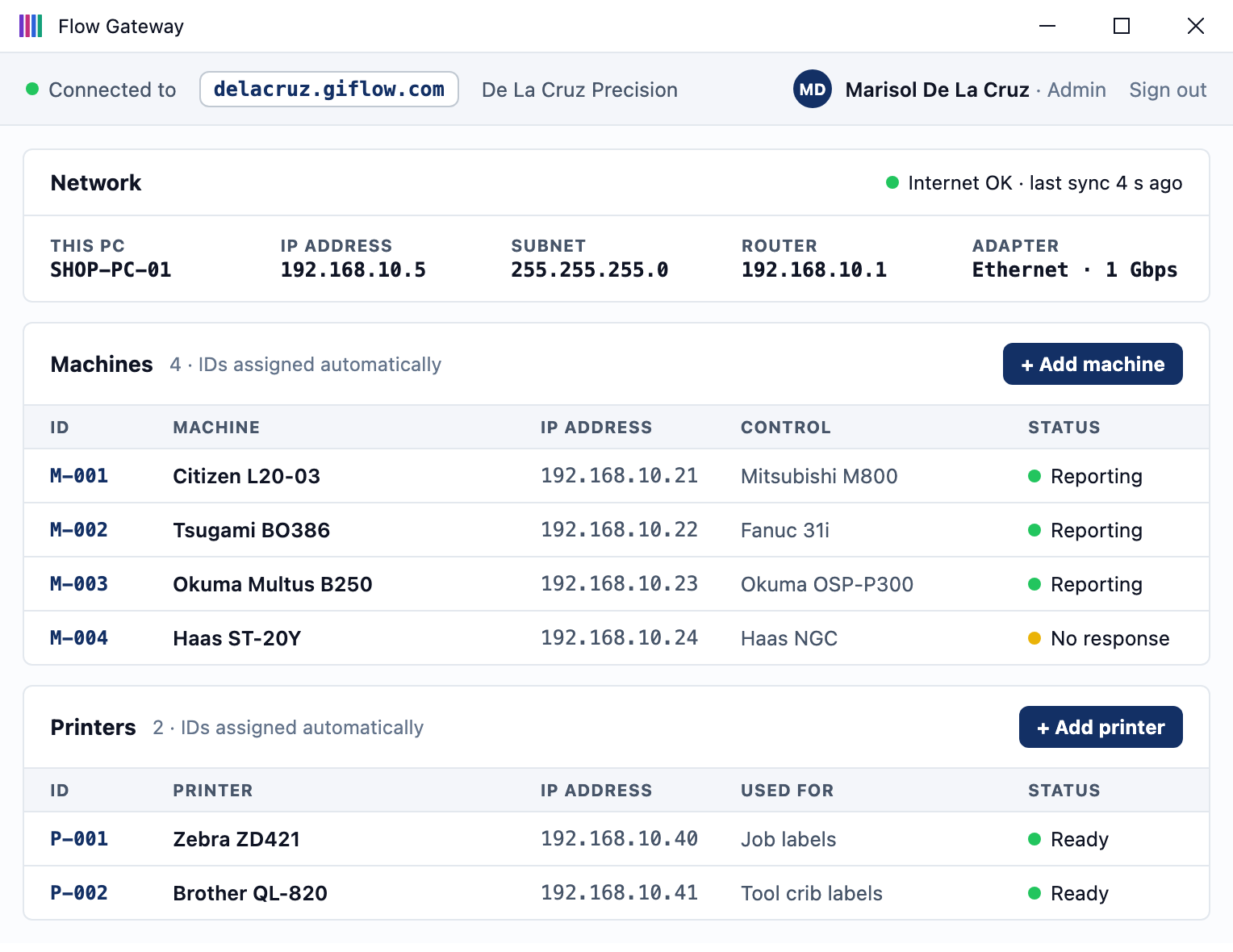
Software you install on a PC on your shop network. From it you add machines, set each machine’s IP address, and connect other hardware Flow uses, such as label printers that print a label for each job.
Sign in to your Flow account online, download the gateway, then add your machines and printers in it.
What you need on the floor
| Item | Requirement |
|---|---|
| Machine network | A wired Ethernet drop to each machine control, on the same network as the gateway |
| Flow gateway | Software installed on one PC per shop, wired to the same switch as the machines. Manages machines, their IP addresses and label printers |
| Terminals | A tablet or touchscreen at each machine, on shop Wi-Fi or wired |
| Internet | Any business connection. About 1 GB of data a month for every 10 machines |
IP addresses
Give each machine control and the gateway a fixed address, either set on the device or reserved in your router. We recommend putting machines on their own VLAN, separate from office computers.
Firewall
Allow the Flow gateway through your firewall so it can communicate with the Flow platform and with your machines.
Before the install
- A list of machines with model and year
- An Ethernet drop at each machine
- A fixed IP address for each control and the gateway
- The Flow gateway allowed through your firewall
Questions about your network? Email [email protected] and an engineer will reply within one business day.