Mobile · iPhone, iPad and Android

Your whole shop, wherever you are

A native app built screen by screen for the way owners and supervisors check on a shop: between meetings, at a customer’s site, or from the truck on a Sunday. One glance tells you how every machine is doing.

  • Included with every plan, for every user
  • No separate app fee and no per-device charge
GI Flow on iPhone: the machines list, each machine with its status, run time, job and part count.GI Flow on iPhone: one machine’s day, with a 24-hour status bar, parts per hour and its alarms.

Lock Screen

Check a machine without unlocking your phone

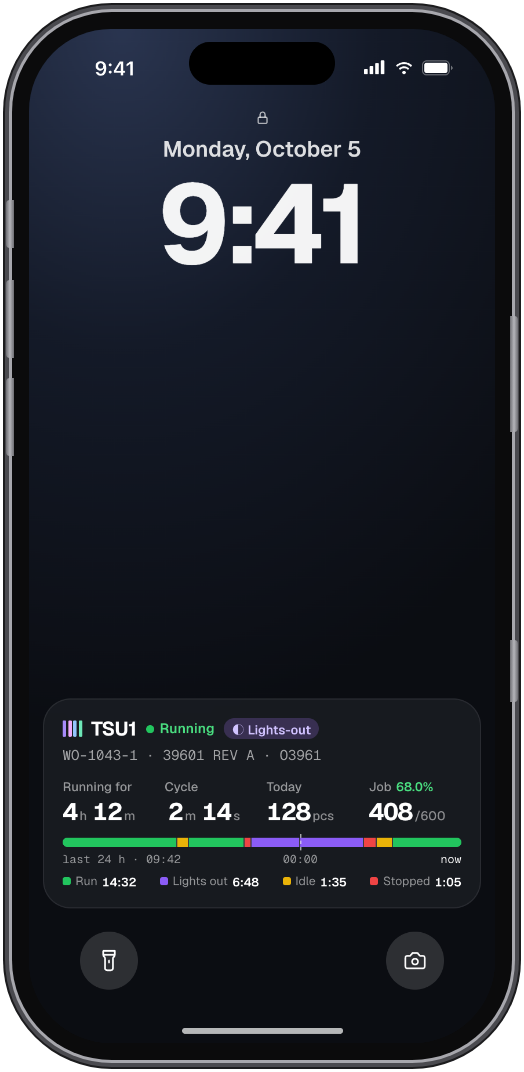
Turn on Show on Lock Screen for any machine and it stays there, updating on its own. Pick it up, look, put it back.

Status and run time
Running, idle or stopped, and how long it has been that way.
Cycle time
The current cycle, in minutes and seconds.
Today and the whole job
Good parts today, total good parts and how far through the job you are.
The last 24 hours
A colour-coded bar of run, lights out, idle and stopped time.
An iPhone Lock Screen showing a GI Flow live activity: the machine's status and run time, its cycle time, parts today and a colour-coded bar of the last 24 hours.

What you can do from your phone

Everything you would walk the floor to find out

Machines

Every machine, live, in one list

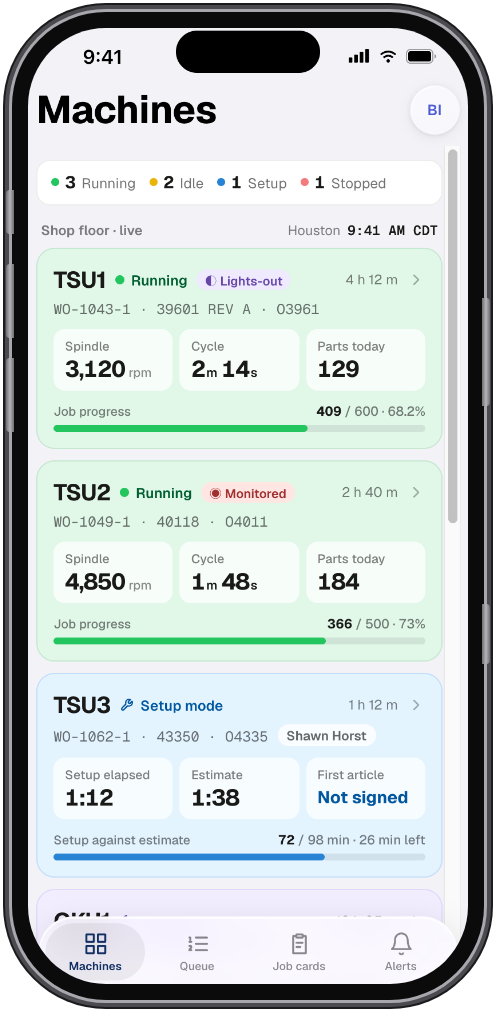
Each card shows the machine’s status, how long it has been running, the job and program on it and the part count. Lights-out jobs are tagged so you know which machines are running unattended.

  • Sorted the same way as the planner’s queue
  • Pull down to refresh, or just watch it update
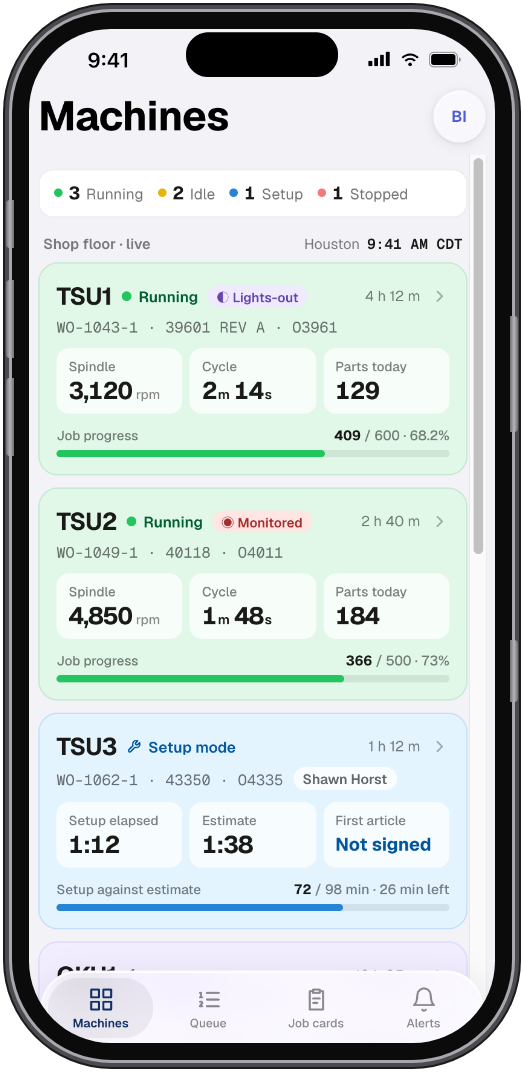
The machines list on iPhone: each machine with its status, run time, job, program and part count.

Machine detail

The full story of one machine’s day

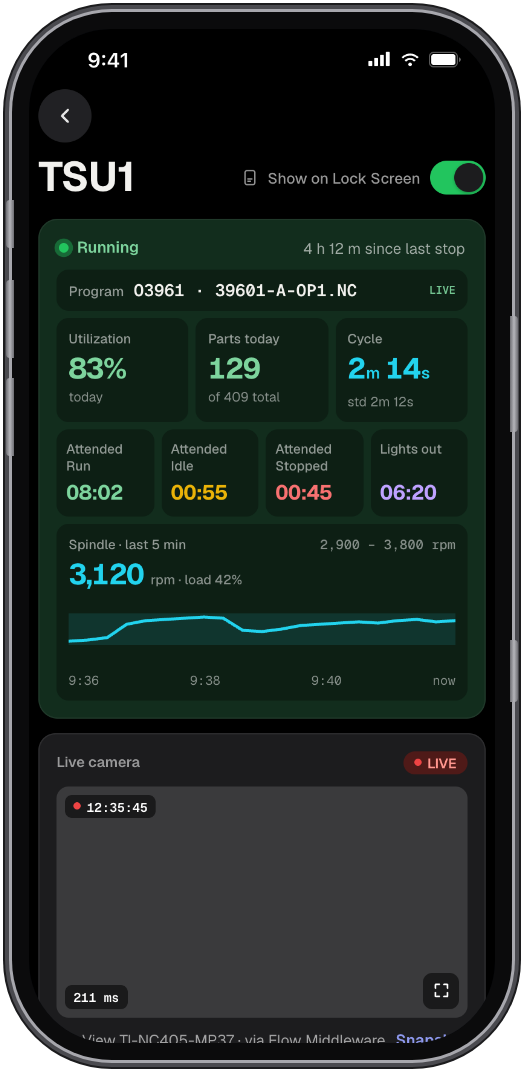
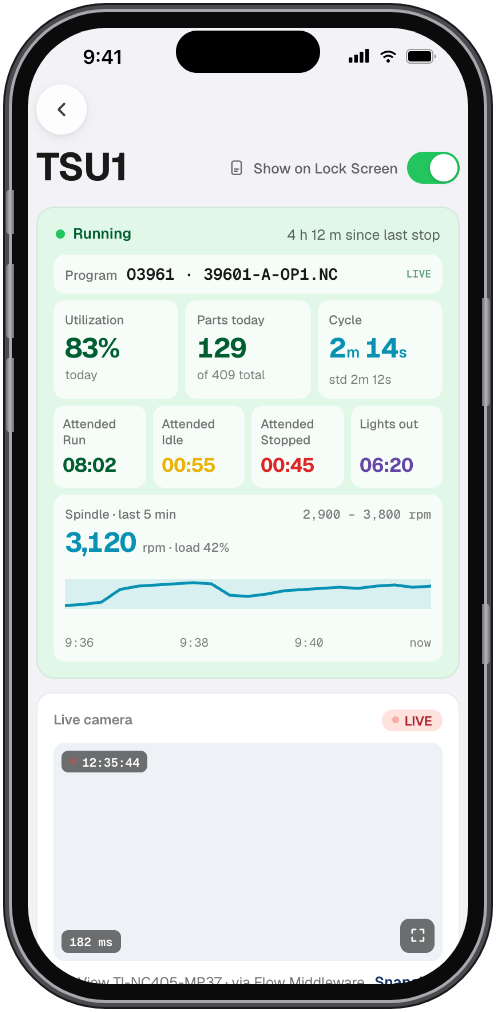
Open a machine to see its whole day on one screen: a 24-hour status bar, time spent in attended run, lights out, idle and stopped, parts made each hour against target, and every alarm with its reason.

  • Work order progress: good, bad and still to make
  • Who logged the last update, and when
Machine detail in dark mode: a 24-hour status bar, time by state, parts per hour against target and the machine’s alarms.

Live camera

Look at the machine, not just its numbers

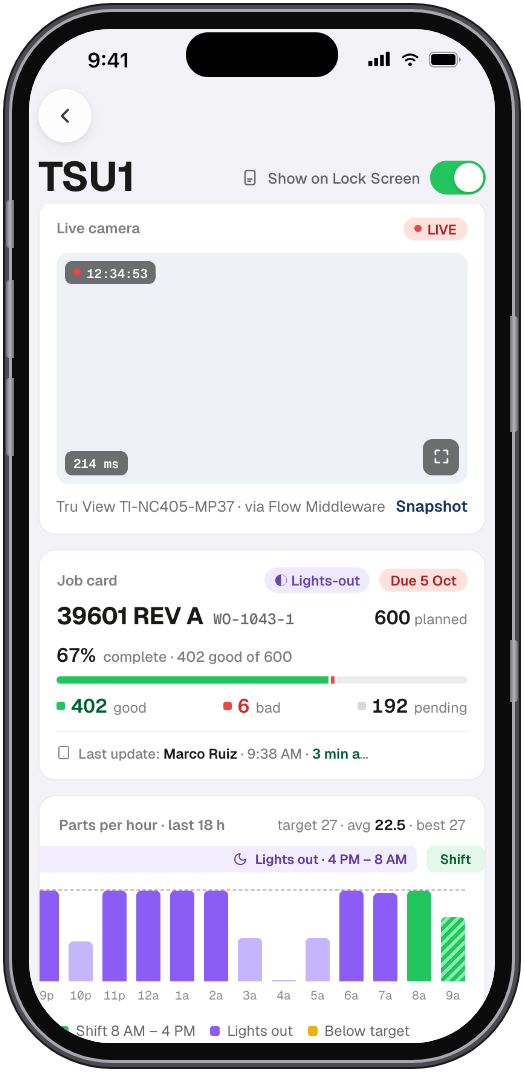
Workstations with a network camera stream straight to the app. When a machine stops, you can see why before you decide whether to drive in.

  • The video goes through Flow on your own network
  • The camera is never exposed to the internet
Machine detail with the live camera card, showing the workstation’s video above its figures.

Alerts

Told the moment something needs you

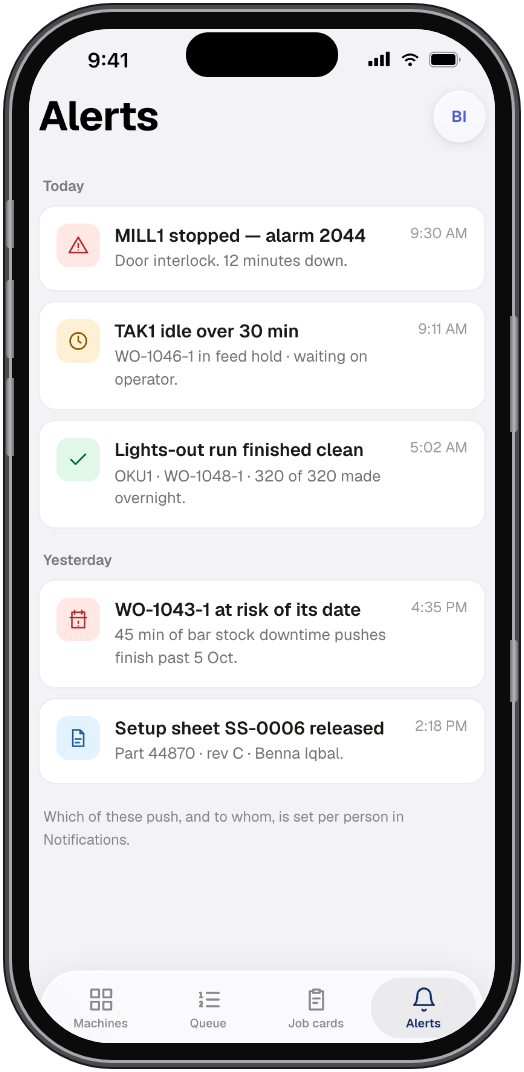
A notification when a machine stops, a tool needs reordering or a job finishes. Tap it and you land on that machine, already showing what happened.

The alerts list on iPhone: machine stops, tooling to reorder and finished jobs, newest first.

The detail

Small decisions, made for people who run machines

We run a machine shop ourselves, and we use this app every day. It got this way one small fix at a time.

  • Designed for dark, not just inverted

    Light and dark are drawn separately, so the app is easy on the eyes on a night shift and readable in the sun on the lot.

  • One colour means one thing

    Running is green, idle yellow, stopped red and lights out purple, on the phone, the iPad, the desktop and the floor board.

  • Charts follow your shifts

    A lights-out capable machine shows all 24 hours. Every other machine is measured on the shifts it actually runs.

  • Every number matches the desktop

    Part counts, run time and cost per part come from the same Flow server, so a number on the phone is never a different number at the office.

  • Built to be tapped, not squinted at

    Every button and switch is at least 44 points, large enough for a thumb, a glove or a quick look between meetings.

  • Tested on our own floor

    Each screen was used by our own machinists and owners on real jobs before it shipped, and changed when it did not work.

  • Running
  • Lights out
  • Setup
  • Idle
  • Stopped
  • Offline

iPhone Duo, iPad and Android

The same app on every screen you carry

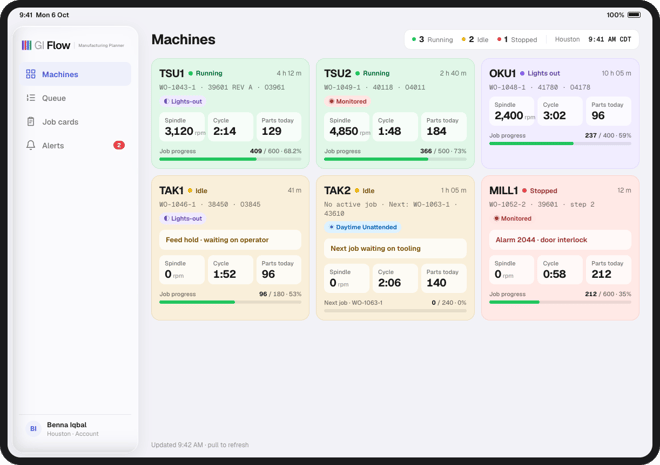
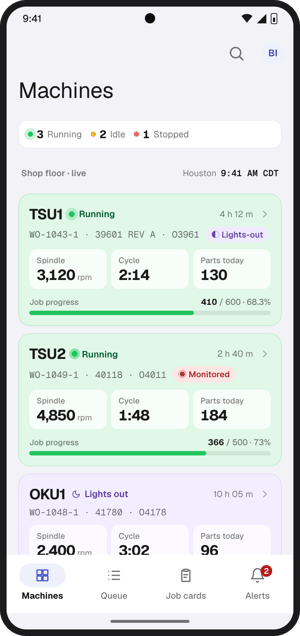
Unfold an iPhone Duo and the machine list and machine detail sit side by side. iPad gets a layout of its own, with room for the whole floor at once. Android phones get the same screens, alerts and numbers as iPhone.

  • GI Flow on an unfolded iPhone Duo: the machines list and one machine's detail side by side on the inner display.

    iPhone Duo

    Two panes on the 7.6-inch inner display

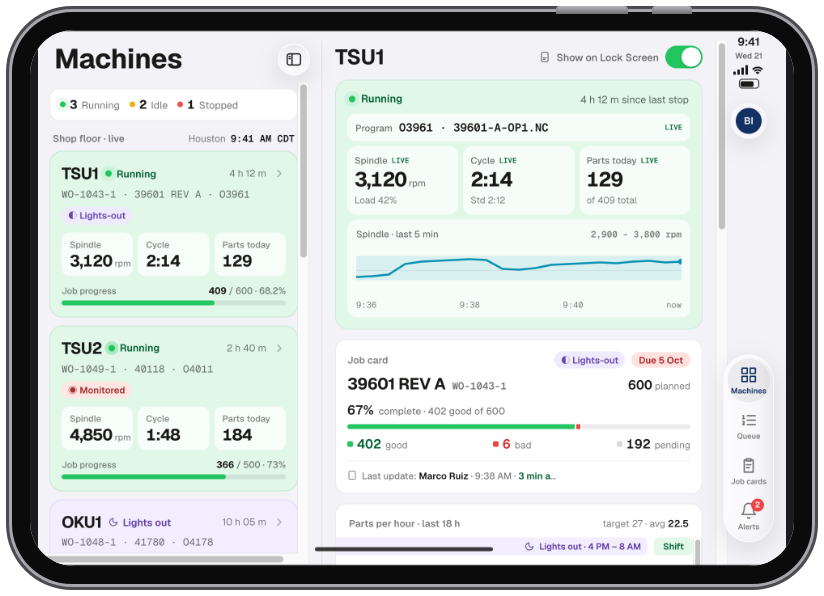
  • GI Flow on iPad: the machines list laid out for the larger screen, with the whole floor visible at once.

    iPad

    The whole floor at once

  • GI Flow on an Android phone: the same machines list, alerts and figures as on iPhone.

    Android

    Phones running Android

Private by design

Your shop’s data stays between you and Flow

The app reads from your own Flow server. Nothing it shows is sent to an outside AI provider or anyone else to be worked out, and signing out of a phone removes its access.

How Flow’s private AI works  →

Leave the shop. Keep an eye on it.

Install the app on your phone, sign in with your Flow account and your machines are there.