Everything a production floor runs on, in one place.

Nine modules, all included on every plan. Each one below says what it does and what it replaces.

Job queue

Every machine’s queue, in the order that wastes the least time

Every job waiting on every machine, with the changeover cost between neighbours, who each setup needs, and a suggested order that keeps machines cutting.

  • Changeover hours shown between each pair of jobs
  • Plans around your people: first runs wait for a Programmer, repeat jobs go to a Machinist
  • Every job tagged Monitored, Daytime Unattended or Lights-out, so only the right ones run overnight
  • Flow suggests the order; the planner approves it or keeps their own

Replaces a whiteboard and a spreadsheet.
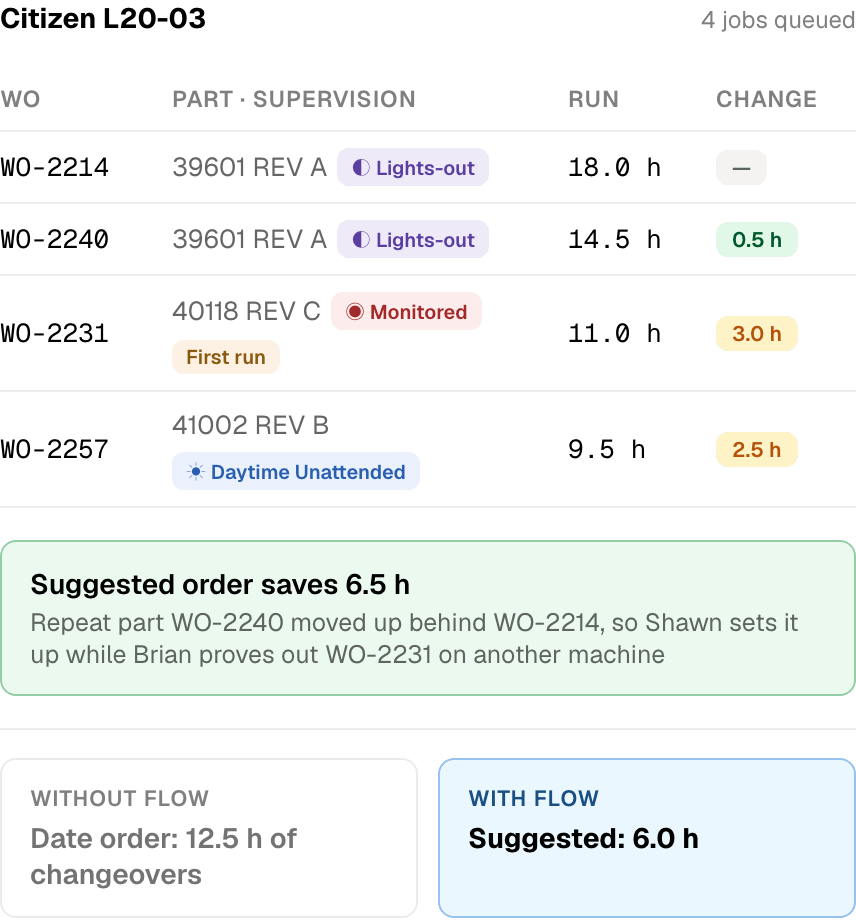
A machine’s job queue, with changeover hours between each pair of jobs and a suggested order.

Ease of use

Easy to use comes first, so the data keeps flowing

Most manufacturing software has every feature on the list and is so complicated that nobody on the floor wants to touch it. The data goes stale, people go back to the whiteboard, and the system becomes a cost instead of a tool.

We made ease of use the priority. Flow has the features; what counts is that they are simple enough for the people doing the work to use them every shift. When entering data takes seconds, it flows from the floor to every part of the business. Without that data, no system works.

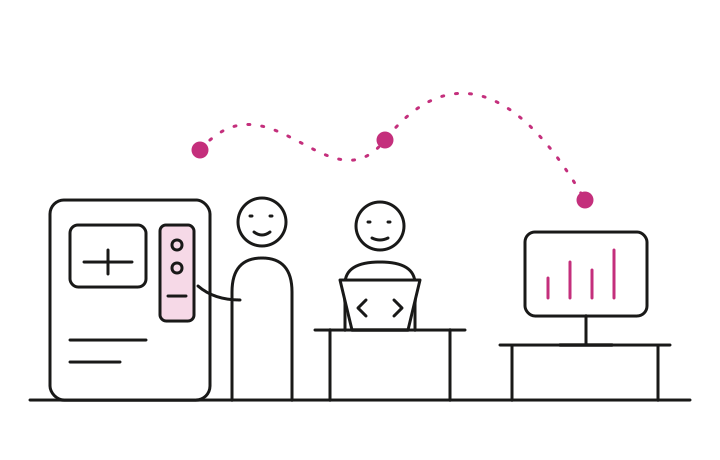
The data comes from the people who already have it

Operators
Sign in with a PIN at the machine. Start the job, count parts, give a reason for a stop. Two taps, no keyboard.
Programmers
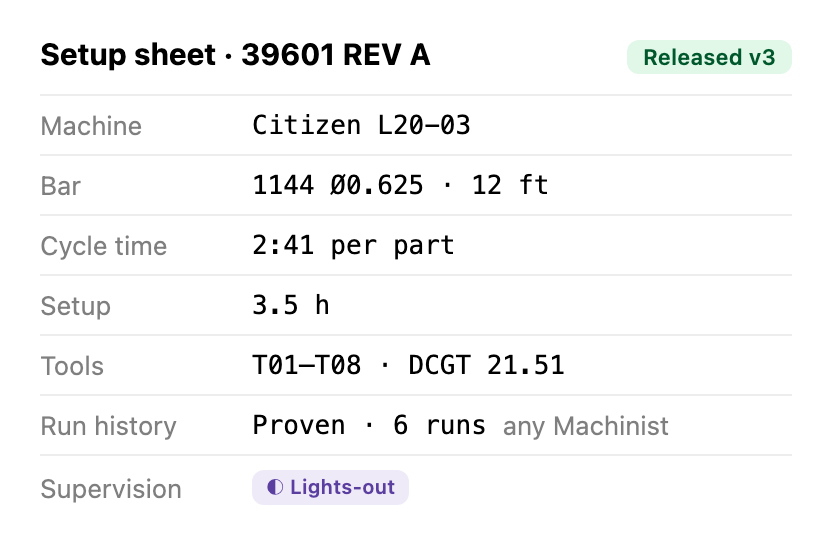
Write the setup sheet once: tools, offsets, workholding, cycle time. Mark how closely the part must be watched: constant monitoring, daytime unattended or lights-out.
The machines
Report spindle state, cycles and alarms over MTConnect. Nobody types what the control already knows.
The office
Reads it. Schedules, costs, material needs and audit records build themselves from what the floor entered.

Written once by the programmer

A released setup sheet for part 39601 REV A: the machine, the bar, cycle time, setup hours, the tool list, a proven run history any machinist can set up, and lights-out supervision.

Used everywhere after that

Estimate
Cycle time and setup price the next quote
Schedule
Run hours, supervision and run history set the job’s place in the queue and who sets it up
Material
Bars per job added to the buying plan
Tooling
Consumable tools and holders pulled from the crib against the job
At the machine
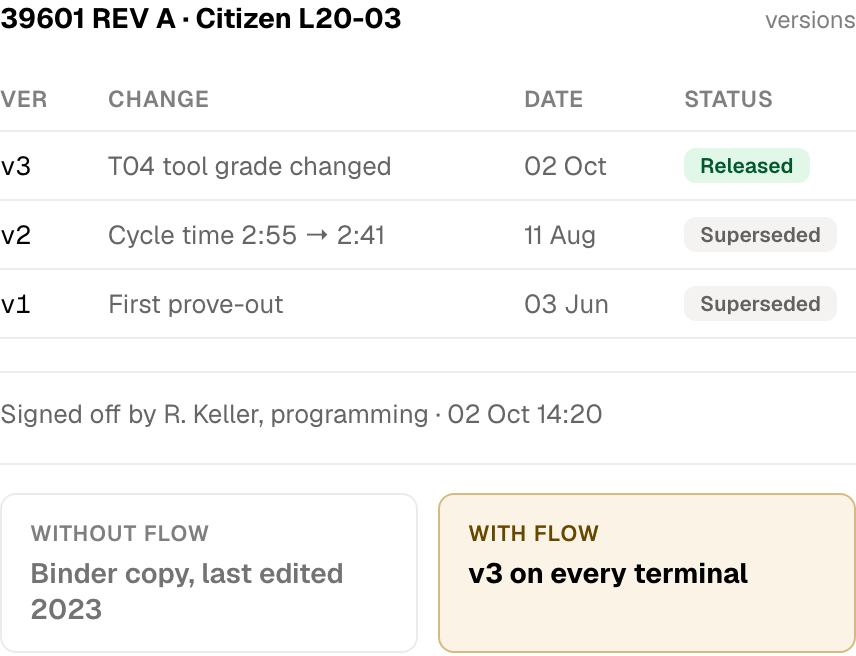
The operator sees the same sheet on the terminal

Planned around your people

The queue knows who can set up what

A machine waiting for the one person who can set it up is as idle as a broken one. Flow knows who is on the floor and what each of them can do, and orders the work so setups do not pile up behind one person.

  • Programmer

    Proves out new parts. Every first run waits for a Programmer, who stays with the machine until the first article passes. Can be set to tend no machines, to keep time free for programming.

  • Machinist

    Sets up any part that has run before, and tends machines between setups. Flow sends repeat jobs here so the Programmer stays free for first runs.

  • Operator

    Tends running machines, up to a limit you set per person, with a separate limit for monitored jobs. Switch someone off or add an operator and the plan updates.

Three levels of supervision, set once on the setup sheet

  • ◉ Constant monitoring

    A tight-tolerance part that needs babysitting, checked every few pieces. Takes one of an operator’s monitored slots, and never runs unattended.

  • ☀ Daytime Unattended

    No part-by-part checks, but someone on shift keeps an eye on the machine in case of a fire or a crash. Stops when the shift ends.

  • ◐ Lights-out approved

    Runs any time of day or overnight with nobody watching. Flow loads it as the last job before the floor empties.

A suggestion, with the reason and the hours.

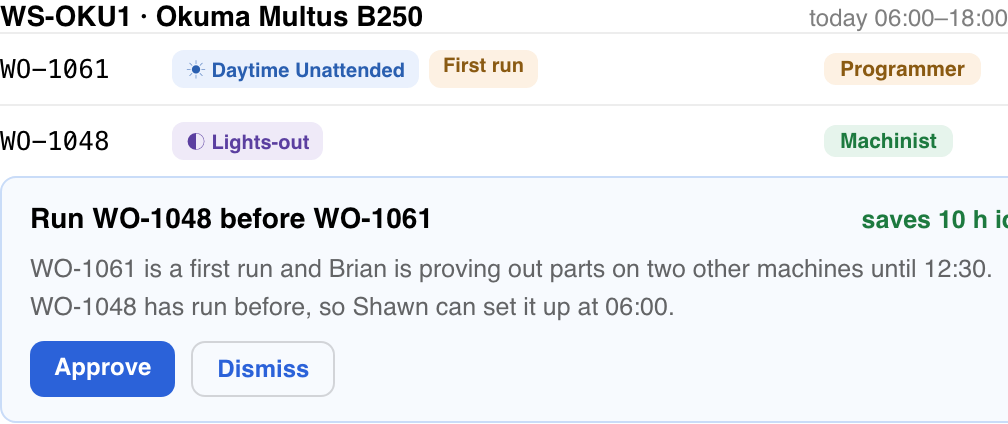
When a machine is stuck behind a busy Programmer, or a monitored job has no one free to watch it, Flow suggests a job that can run instead. Nothing moves until the planner approves it.

Flow suggesting one job is run before another on a machine, with the reason and the ten hours of idle time it saves, to approve or dismiss.

Private AI

Real intelligence, not a wrapper around someone else’s AI

Many platforms say they use AI. Most are wrapped around a bigger provider such as OpenAI or Claude: they send your data to that third party and display the answer back to you. Your sensitive data is now in a system you have no control over, and you may have helped train it. Flow is the opposite.

Our own intelligence, not a wrapper
Every insight is processed by optimization logic built in-house by Flow.
Learned by making parts every day
The logic comes from what we have learned as manufacturers, running our own shop floor.
Validated, and private
Proven on real jobs. Your data is never sold, shared, or used to train anyone’s AI.
How Flow keeps your data private →

A TYPICAL “AI” PLATFORM

  1. Your data
  2. OpenAI, Claude or similar
  3. Answer shown to you

Your data leaves your control, and can be used to train a model you will never own.

GI FLOW

  1. Your data
  2. Flow’s own logic
  3. Insight to you

Processed by Flow. Nothing is sent to a third-party AI, not even for an insight.

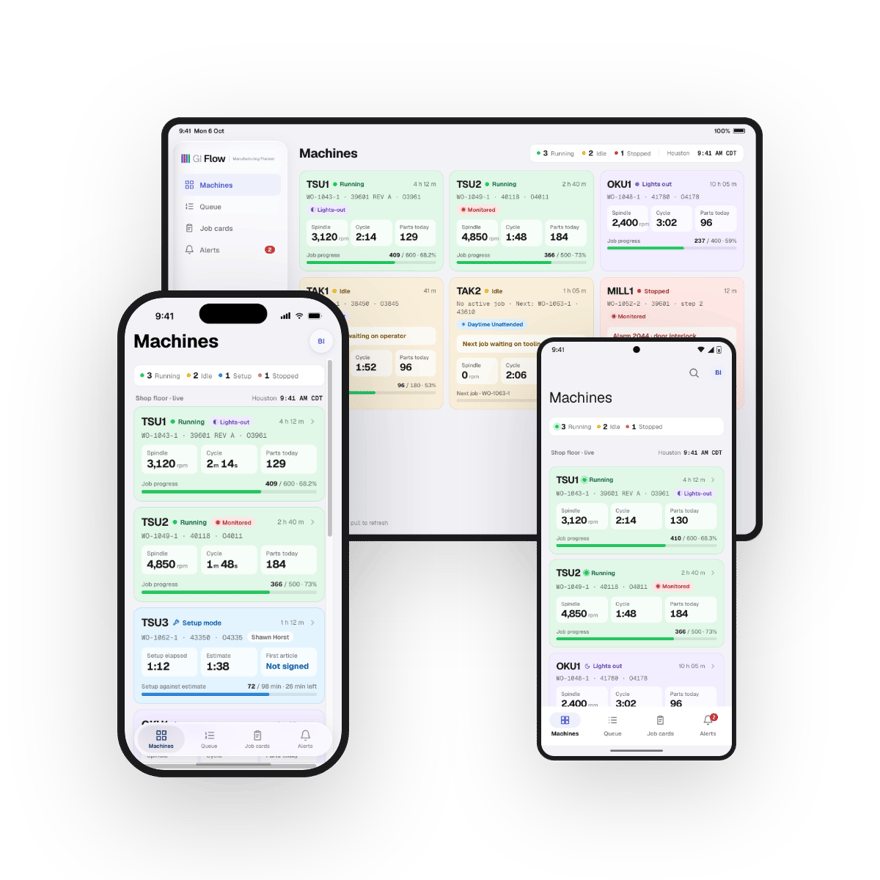
iPhone, iPad and Android

Once it is connected, the floor is in your pocket.

Comes with every plan. Machine status, job progress, tool alerts and the day's numbers, from the office, a customer's site or the truck on a Sunday.

  • Live machine status and the day’s output
  • Alerts when a machine stops, a tool runs out or a job finishes
  • Job progress and cost per part, the same numbers as the desktop
  • No separate app fee, no per-device charge
See everything the app does  →
GI Flow on three devices at once: an iPad showing the whole machine list, an iPhone showing the same list laid out for one hand, and an Android phone beside it.

Run it on your own jobs

Load a sample shop and look around, or enter your own machines and material and see the stack against your real queue.